What changed in the form.
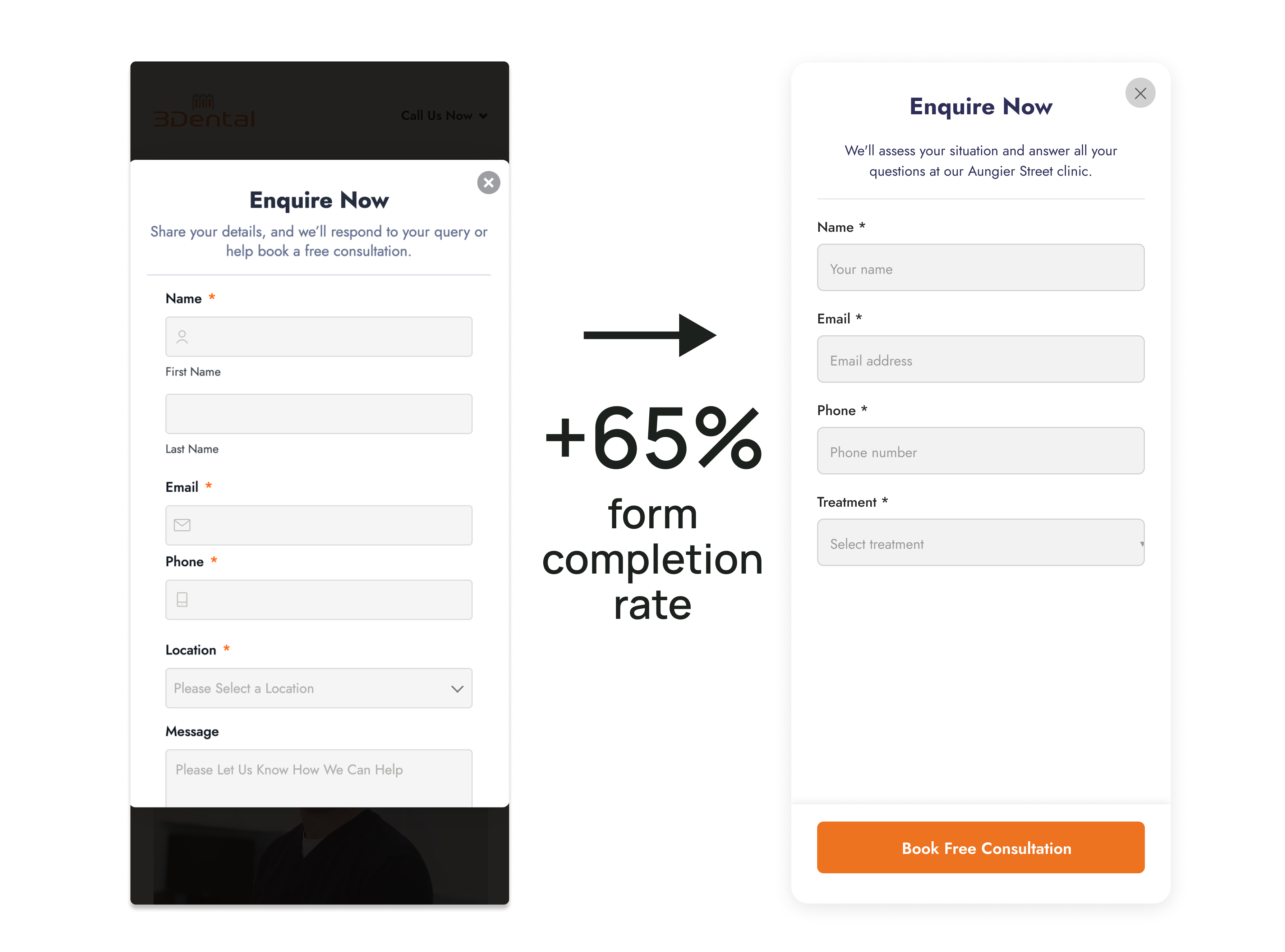
The original 3Dental mobile form asked for first name, last name, email, phone, location and a message. The booking button sat below those fields. A patient had to work through the form before reaching the action they came for.
The revision used one name field and a treatment selector, alongside email and phone. The copy named the clinic and explained what would happen at the appointment. The booking button was brought into view.
Keep the information reception needs.
The treatment selector replaced a written message with a short choice. Reception still had the information needed to route the enquiry, and the page named the clinic.
Fewer fields are useful only if the practice can respond to the enquiry. Remove duplicated questions, but keep the details needed for follow-up.
A completed form is not a consultation.
The 3Dental programme combined form work, tracking and campaign changes. Its booking results should not be attributed to the form alone. To assess a form change, track submission and delivery first, then follow the resulting enquiries into the practice’s records.
- Submitted
The enquiry form was sent.
- Booked
A consultation was arranged.
- Attended
The patient came to the consultation.
- Treatment started
Treatment began, as recorded by the practice.
Not recorded? Keep the outcome unknown. A missing record is not a failed booking.
Test it all the way to reception.
Open the page on a phone. Submit a test enquiry. Confirm that the right team receives the information and knows what to do next. Check that reporting counts the submission once.
Then check how booking outcomes are recorded. An easier form matters most when the practice can act on what it receives.
Read the 3Dental case study